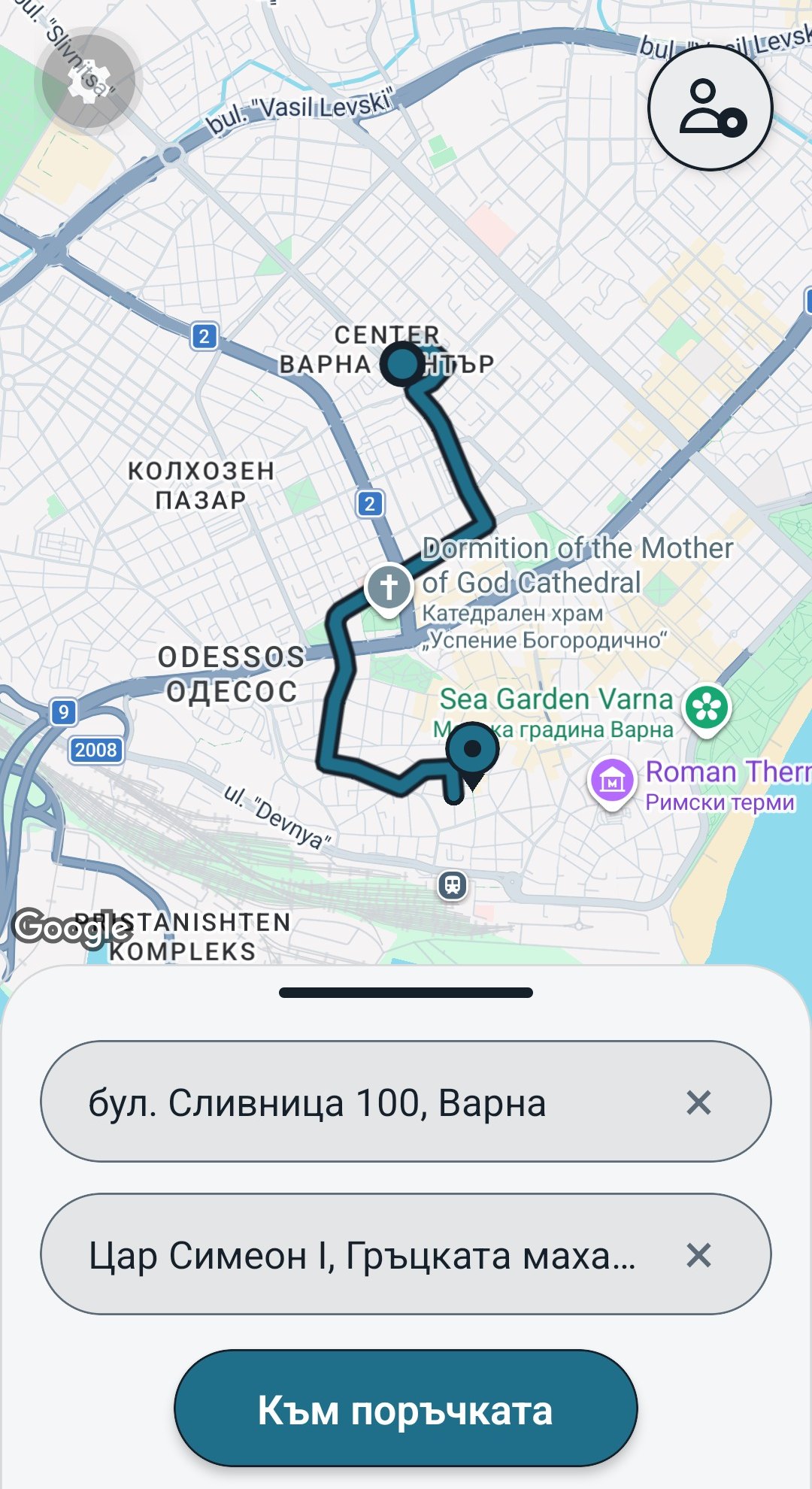
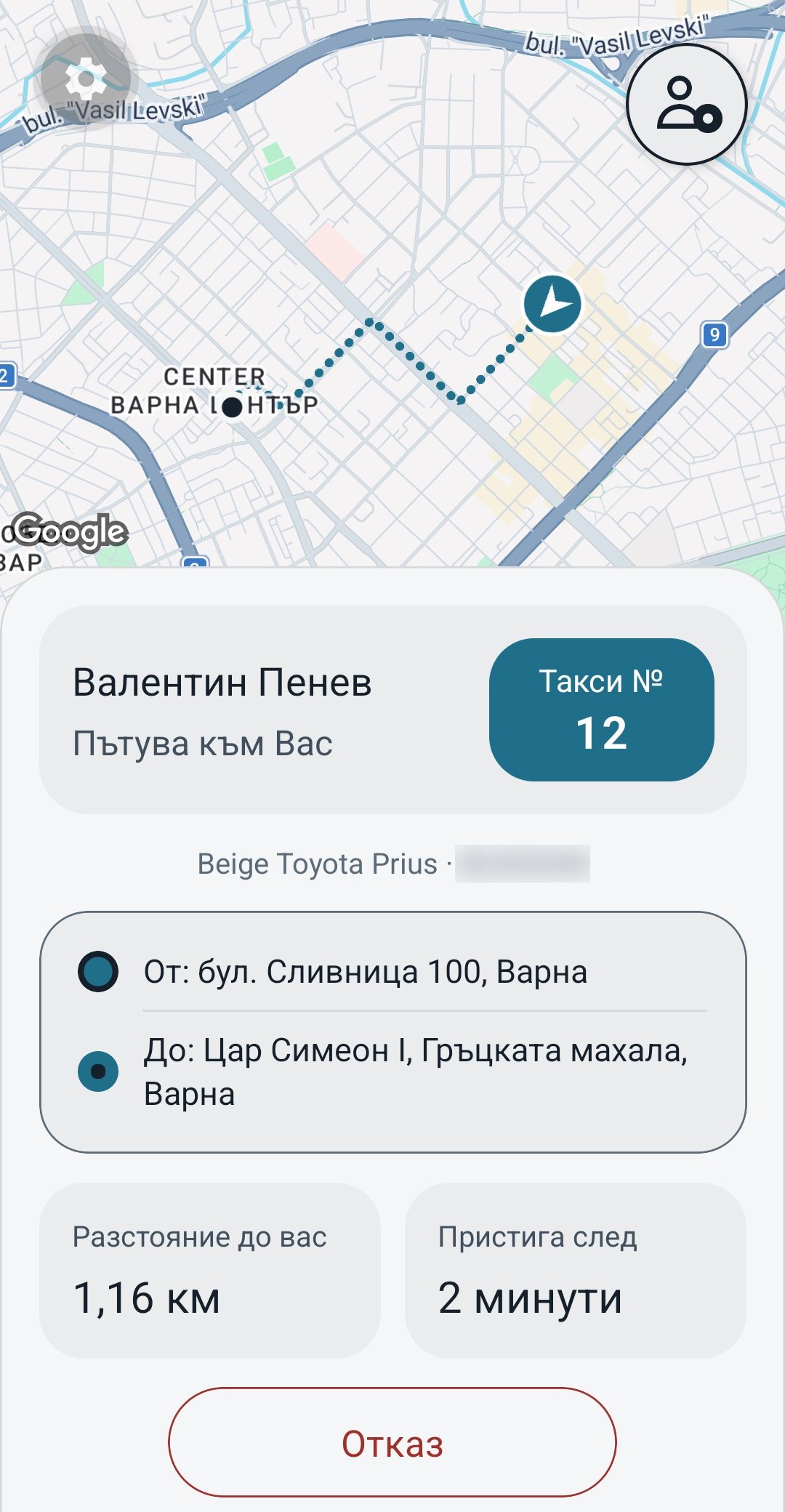
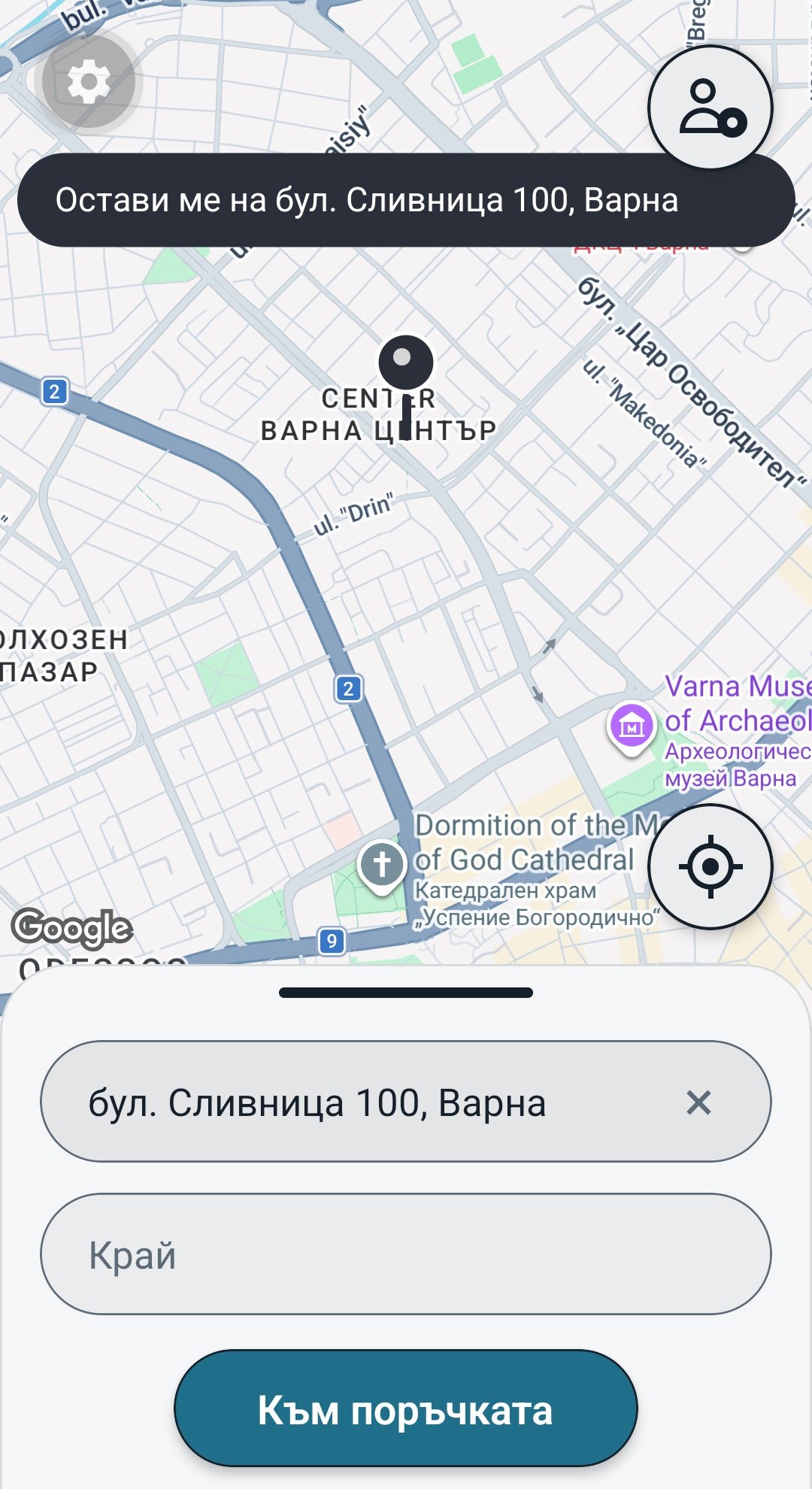
How a call goes once your PBX is connected to the console.
1
The phone rings
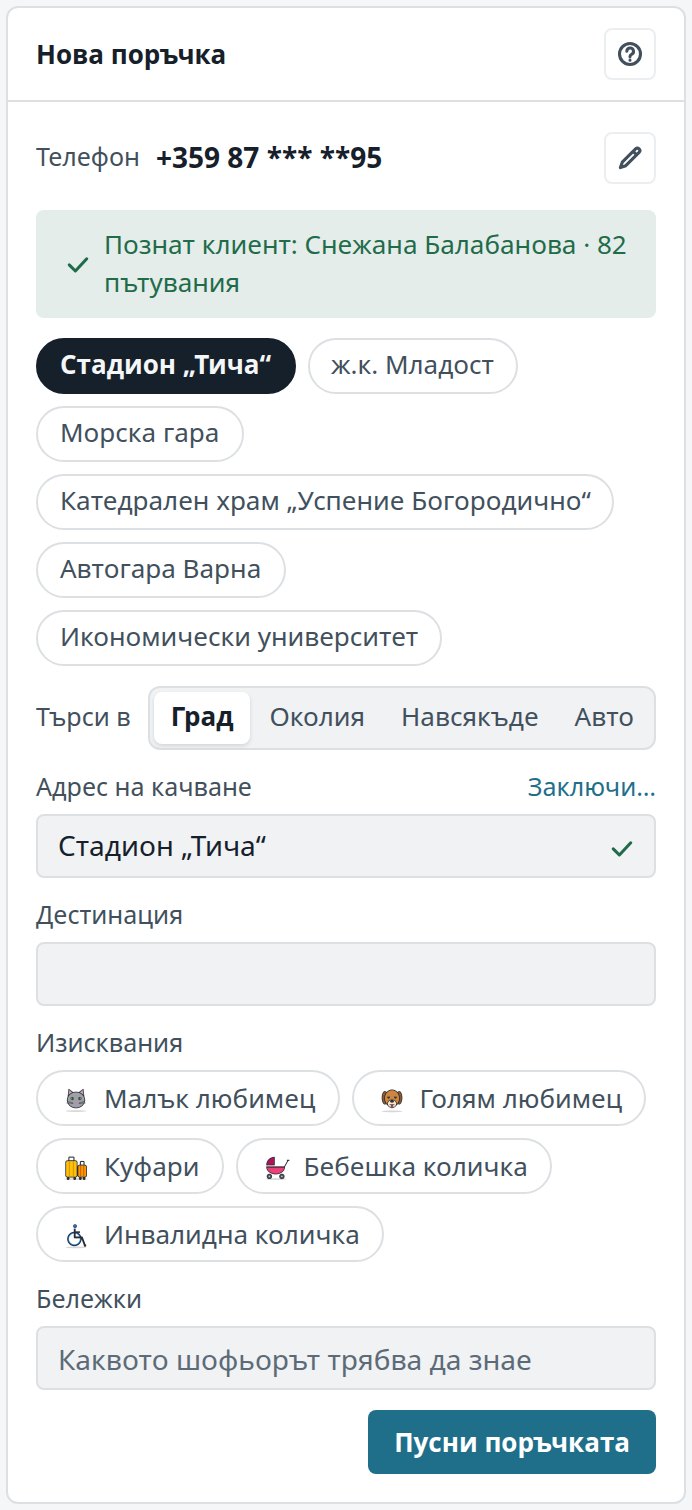
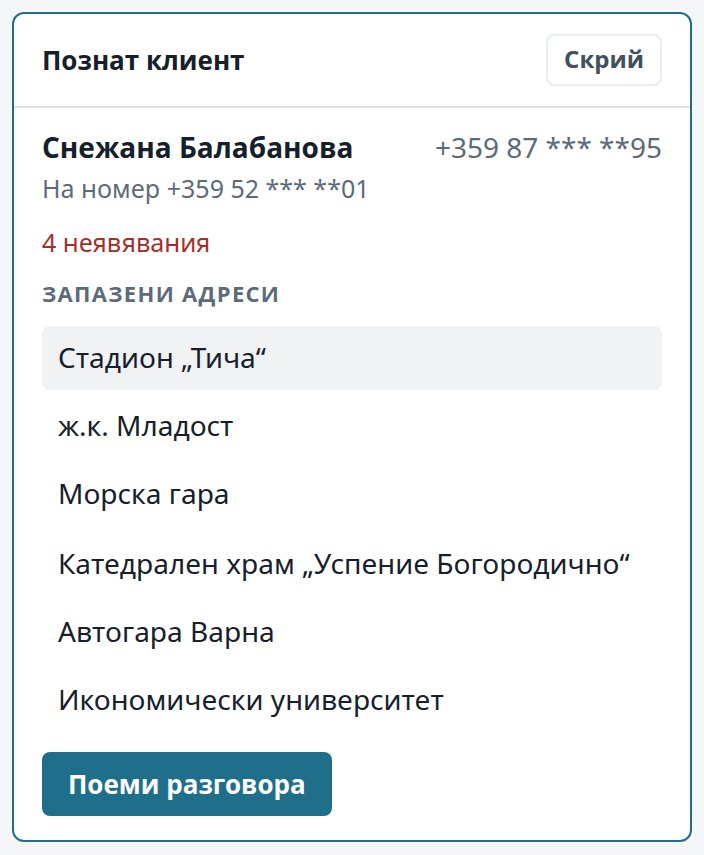
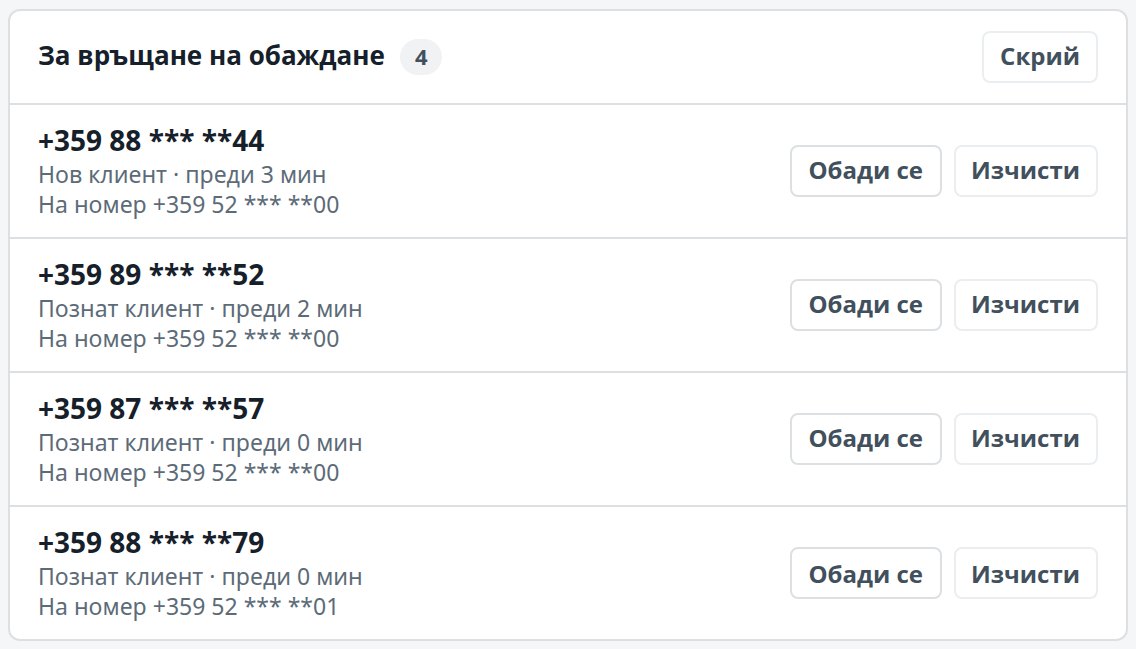
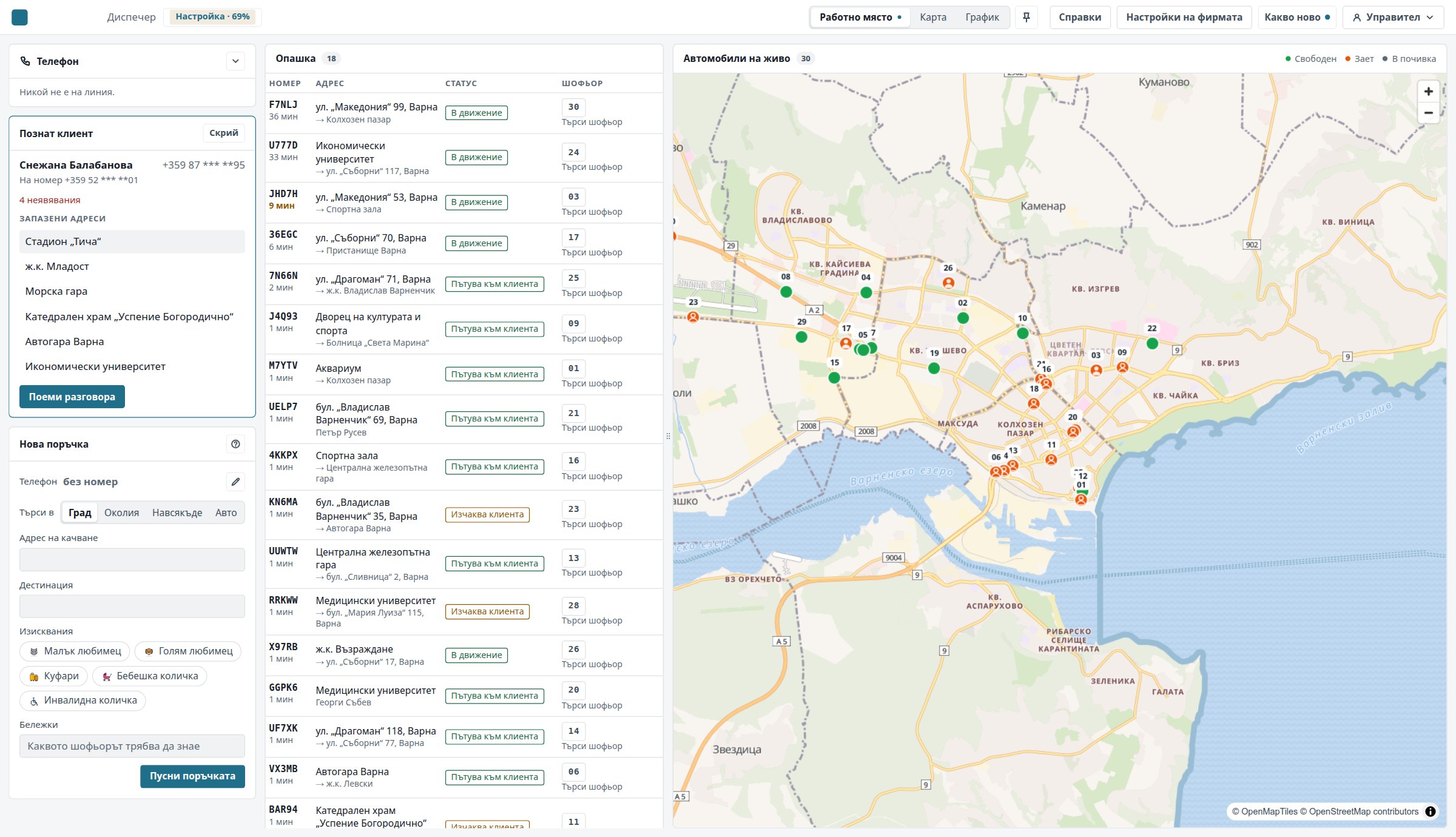
The call reaches your desks all at once, in turns, or the first free desk first, as you choose. A known caller comes up on screen with their name, number and usual addresses.
2
The dispatcher answers
They lift the handset of the desk phone or answer on screen, and the order form fills with the caller’s details.
3
The address is found the way the caller says it
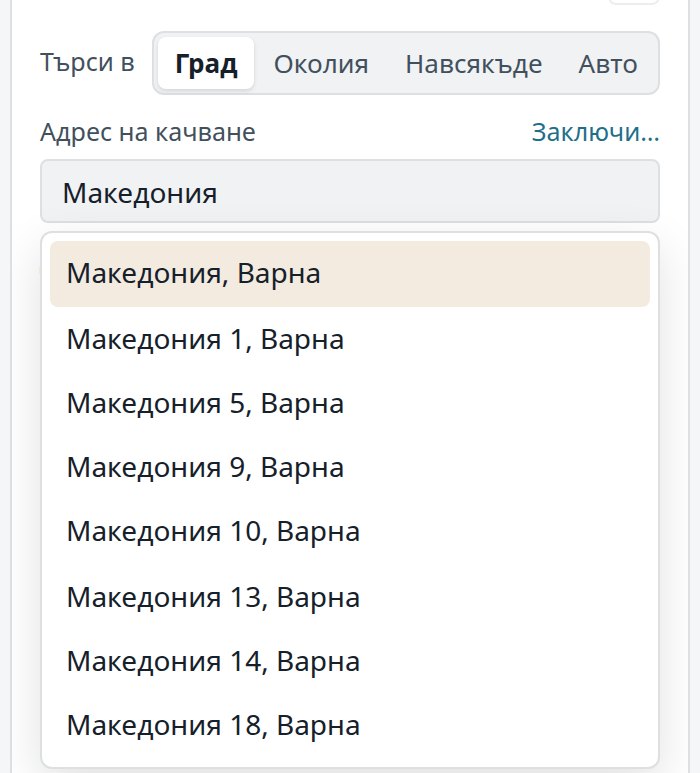
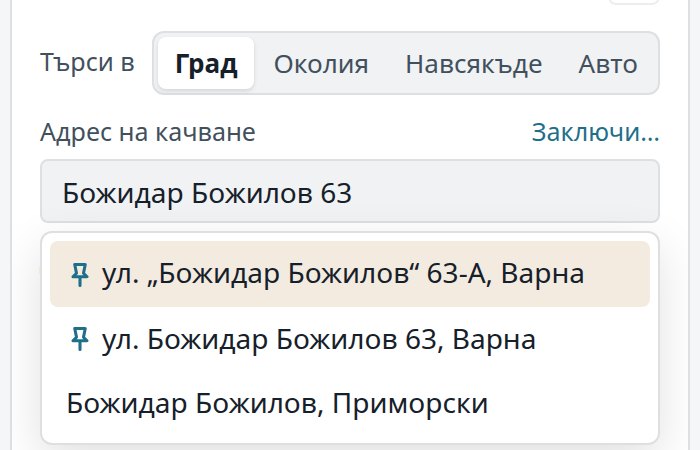
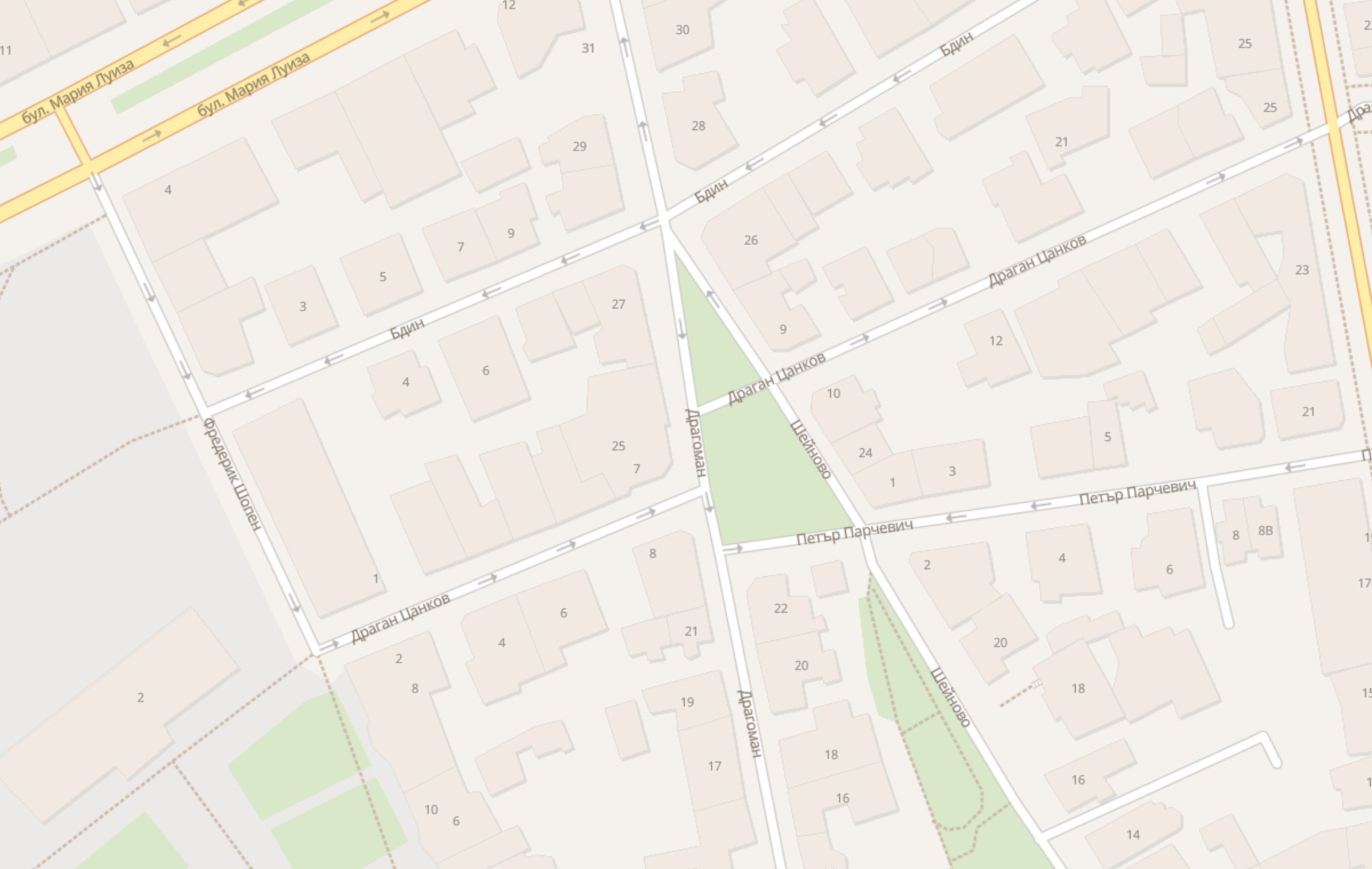
Street and number, or quarter and block, in Cyrillic or Latin letters. The search looks in your firm’s own saved addresses first, then in our free maps, and only then in Google, so your locked entrances come up first.
4
A car sets off by itself
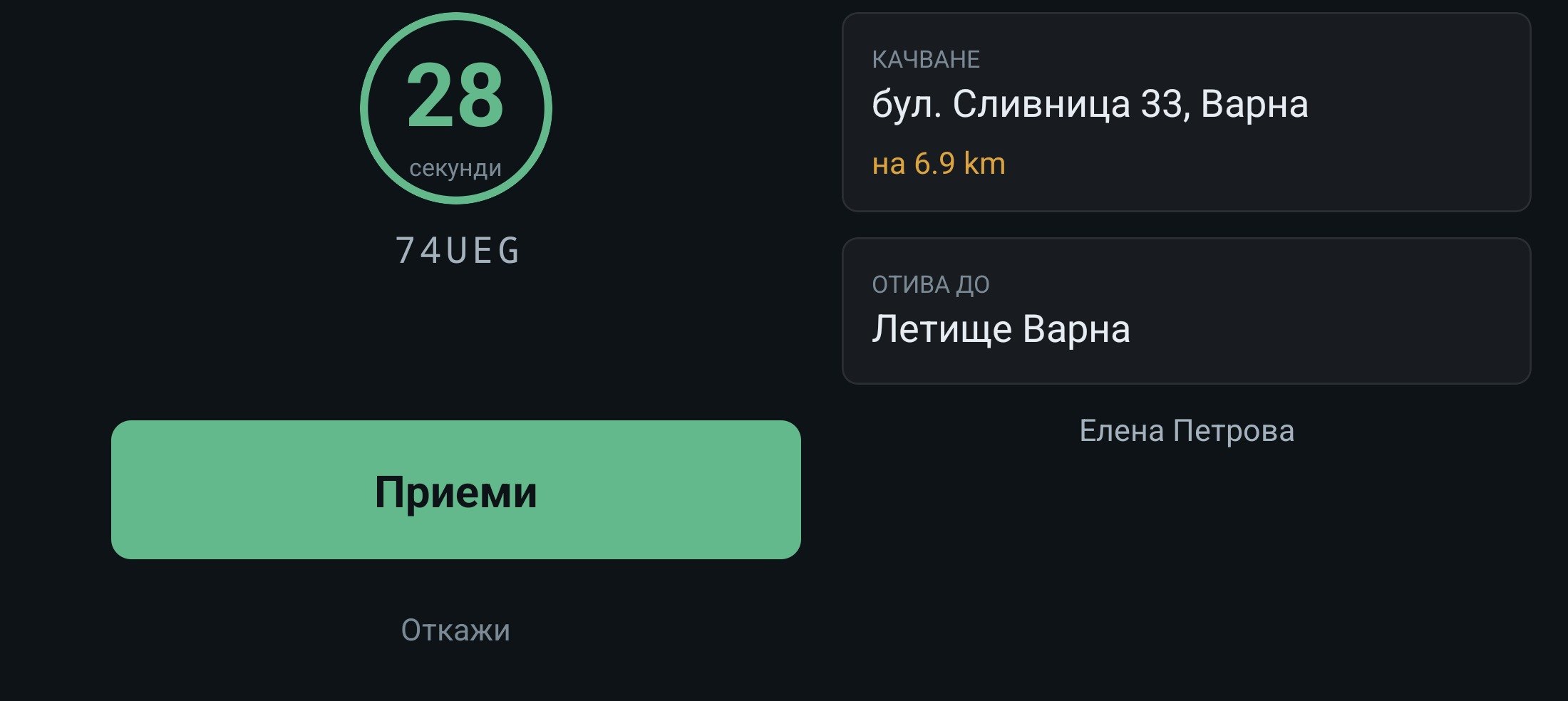
Automatic dispatch sends the offer for your dispatcher, and the driver gets it with a countdown. You tune it to the way your firm works: from the rank outward in widening circles, with every step set by you, only to cars that take the suitcases or stroller asked for. The dispatcher can step in at any moment.
5
The caller knows when the car is coming
You choose how the caller waits for the car, and you follow it live on the map to the door:
once a driver accepts, the caller hears the car number and when it will arrive;
the caller waits on the line with music;
the caller hangs up, and the system rings them back once a car is found.
Features
The phone is part of the console
A missed call is work, not a line in a log.
Your numbers, your SIM cards and your PBX stay yours. In the browser or at a desk with a second phone, a second caller puts the first on hold with music, any colleague can pick up a held call, and a call forgotten on hold rings the desk again after two minutes. Missed calls wait in a queue with someone responsible for each, and are returned with one click, from the line they came in on or in your firm’s own line order.
Telephony is switched on for your firm separately. You need a GSM gateway and/or a SIP trunk, and a PBX, at your office or in the cloud. We install the PBX and get it running.
The whole order goes in from the keyboard, and automatic dispatch sends the car for your dispatcher. A caller wants “a big car for the luggage”? Pick suitcases, a stroller or a wheelchair, and the order goes only to cars that can take them, with no talk of car classes.
Drivers see the order, the route and their own days.
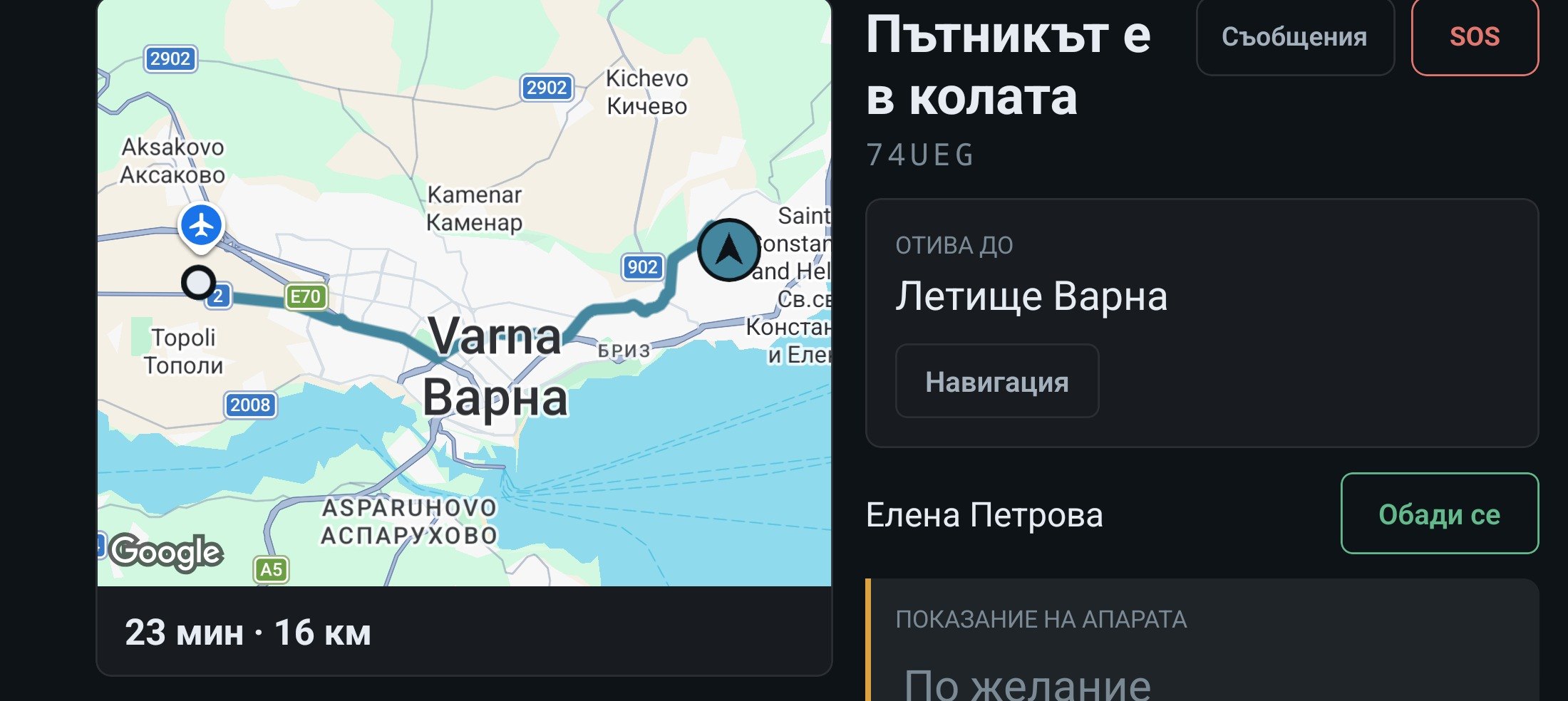
Offers with a countdown, a route and arrival time from our own routing, with no paid outside service, and navigation in Google Maps or Waze in one tap. A ride carries on without signal: arrived, passenger aboard and finished are sent in order once the signal is back. Drivers see their own days worked and what they owe.
For Android. Installed from a file for now. Coming to Google Play. To accept an offer, the driver needs signal.
Routing and address search in the console and the driver app run on our own maps of Bulgaria, free for you, however many calls you take. An address is looked up in your firm’s own saved addresses first, then in our maps, and only then in Google. The console’s map is in Bulgarian and shows house numbers.
Freewith our maps: routes and addresses with no charge per search,instead ofaround $1,260 a monthon Google, by our comparison for a firm with 50 cars.We can work with Google too, but it is expensive, so we give you a free and very good alternative.
Your data is yours
Know who calls, who pays and who stopped calling.
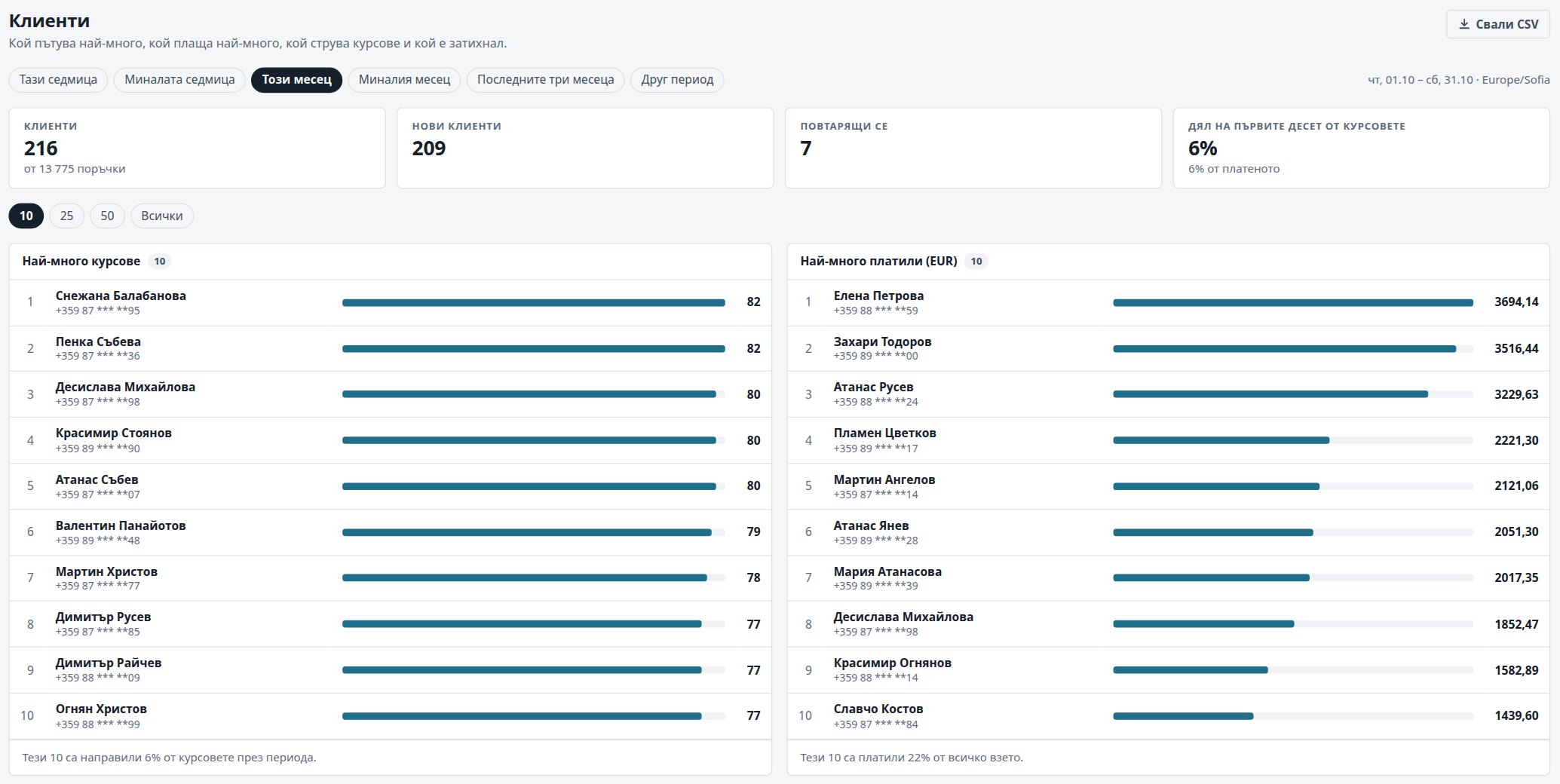
Every firm has a database of its own. The reports show which clients ride most, which ones cost you rides and which ones have stopped calling, and each downloads as a CSV. On request, we hand over all of your firm’s data in one go.
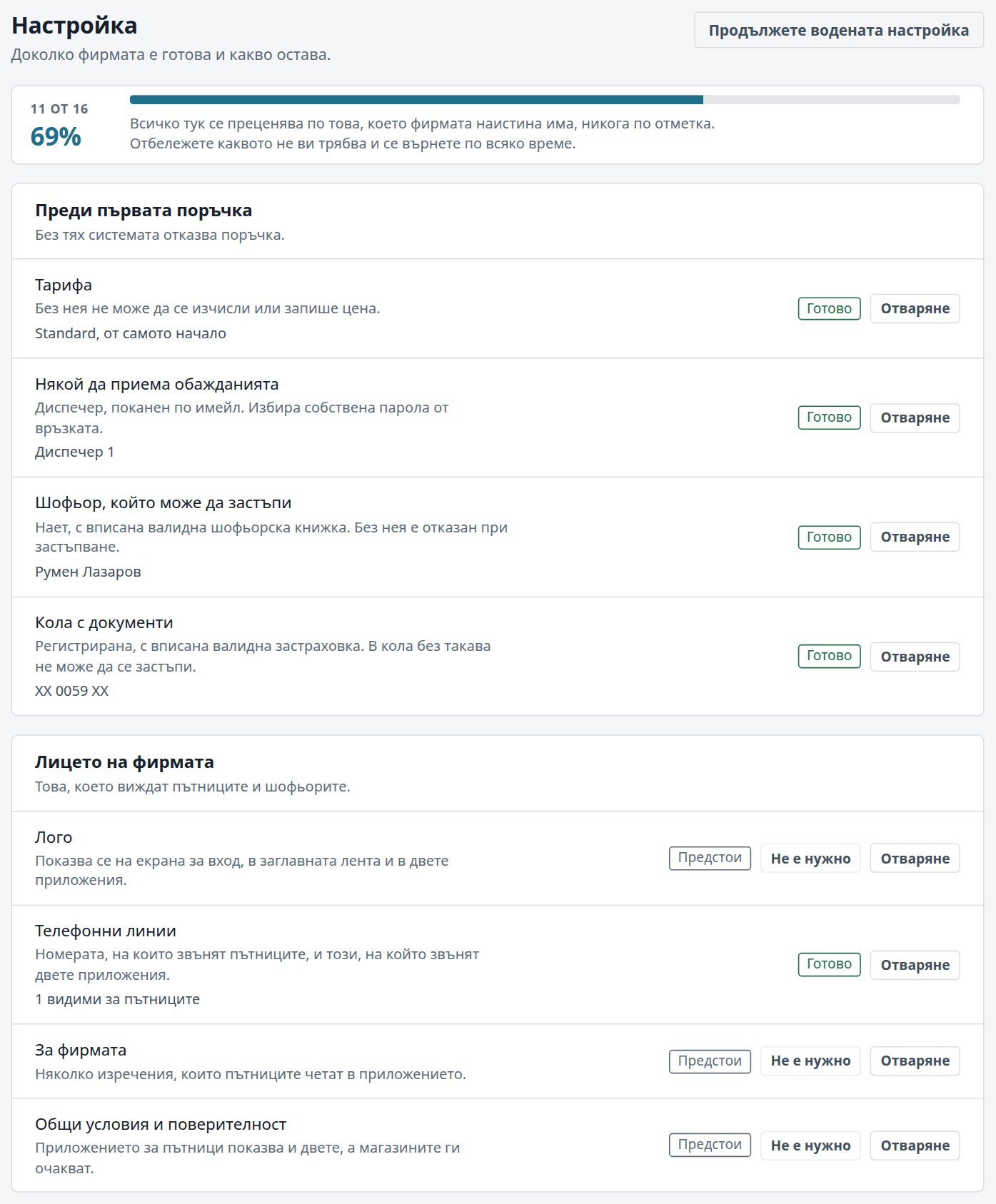
Your administrator follows a guided setup and a checklist with a percentage, but nothing holds them back: with one tariff, one driver and one car, the firm takes orders even at 0%. Clients come in from your current system or from a CSV, Excel or JSON file and show up by name when they call from day one. Only the PBX needs a day with us.
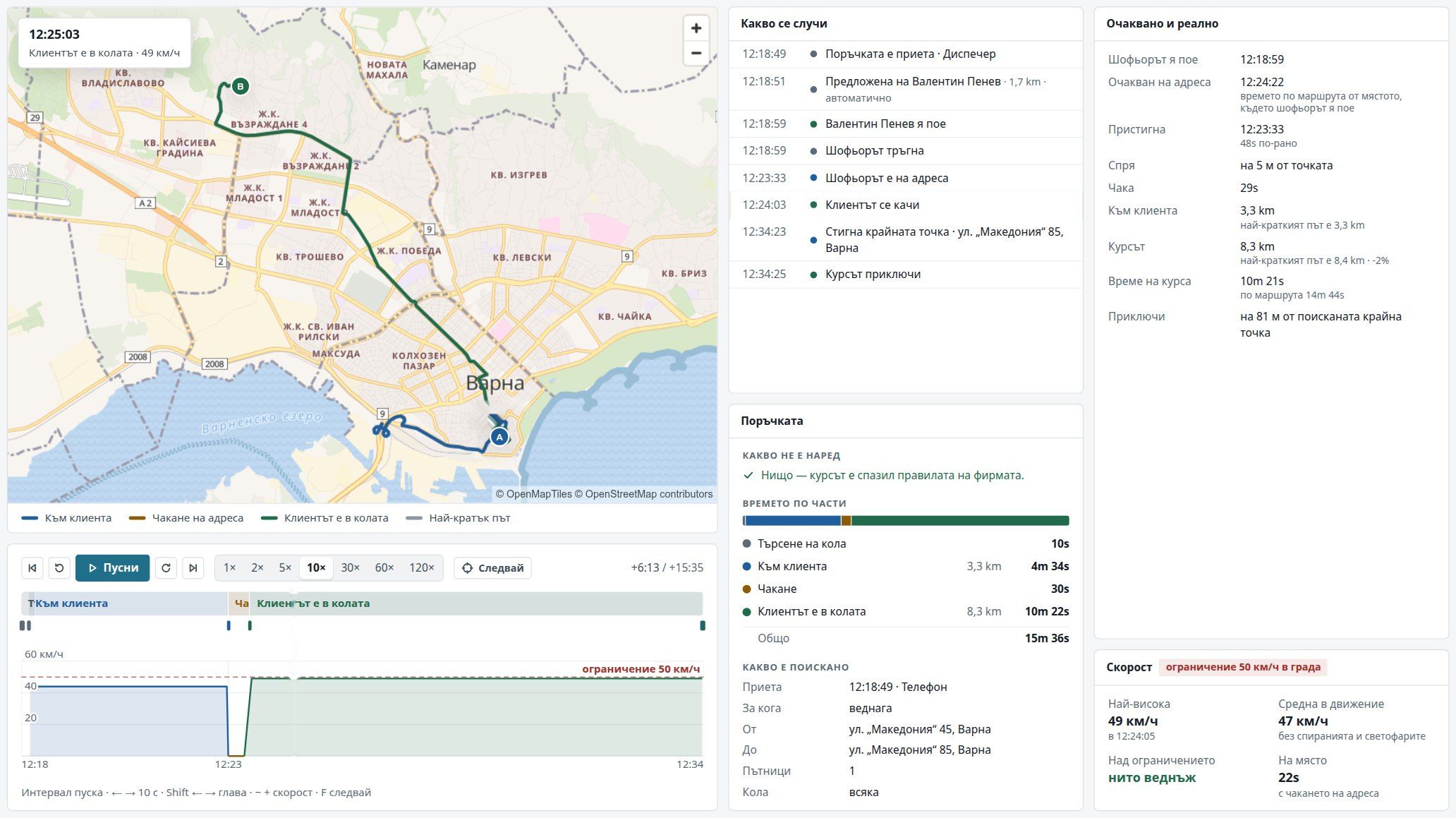
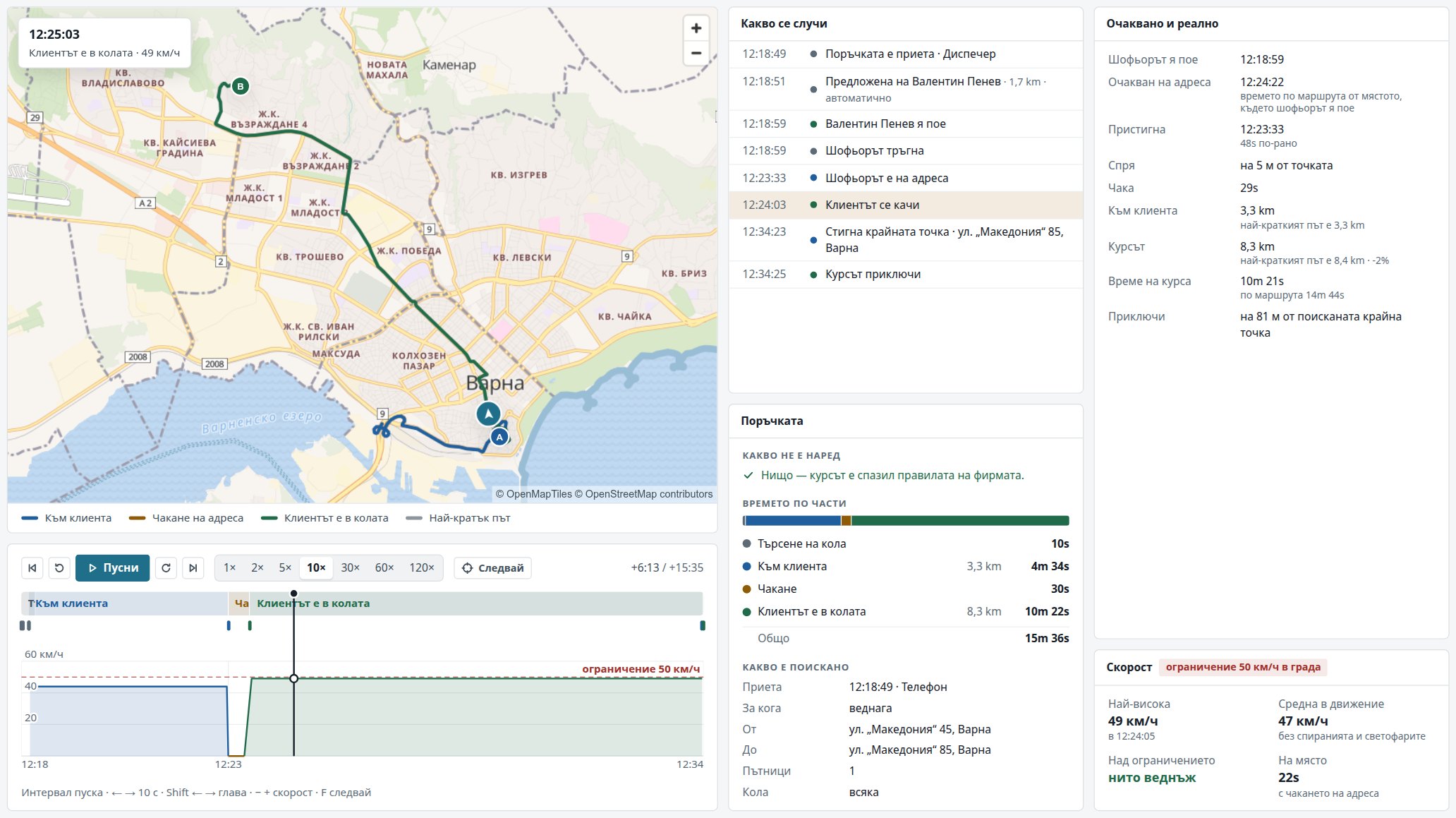
A client rings, angry: “The car was twenty minutes late.” The driver swears they waited at the door. You don’t have to guess who is right. Open the ride and press play: where the car went, when it stopped, how long it waited and when it left, second by second.
A demo on a real console screen, with a sample firm: a ride in Varna, played back.Open the screen full size
1
Where was the car, really?
The way to the client and the ride with them, drawn on the map beside the shortest route, and how many metres from the address the car stopped.
2
How long did each part take?
Finding a car, the way to the client, waiting at the address and the ride itself, each with its own minutes and kilometres.
3
Expected against actual.
When the car should have reached the address by the route, and when it did. How long the ride was, and how long the shortest route is.
4
Every step, to the second.
Taken, offered (and whether automatically), accepted, arrived, picked up, finished. The speed chart shows the town limit too.
5
Disputes settled with facts.
With the client and with the driver, you talk about what happened, not about who remembers it how. The console also shows whether the ride kept to your firm’s rules.
Play the ride at anything from 1× to 120×, jump from part to part, or let the map follow the car.
Ride replay is for administrators only. Rides are kept as long as you decide, 180 days by default.
A passenger app in your firm’s name Coming
Your passengers will book from an app with your name, logo and colour. They will set the address on the map and see an estimated fare, then the driver, the taxi number and the minutes until it arrives. Notifications will come in your firm’s name.
The app is for Android and iPhone, optional, and built separately for each firm. We will open it to passengers together with its Google Play and App Store listings and sign-in by SMS code.
We move firms over from other dispatch systems. Your client book comes across from your current dispatch system’s phone book, including the systems the large firms use, or from a CSV, Excel or JSON file, and you see what will go in before the import. From day one, known clients show up by name when they call. Your numbers and SIM cards stay the same, and we bring the PBX up on a separate day.
What do we need for telephony?
If you already have a SIP trunk or a GSM gateway, we provide just the PBX, at your office or in the cloud, and connect it to the console. If you don’t, we will tell you what to get: a GSM gateway with SIM cards and/or a SIP trunk. For your dispatchers, IP desk phones or headsets are all it takes.
What happens to our data?
Every firm has a database of its own, on a cloud server with a very fast connection from Bulgaria. It is backed up every night, and each backup is kept 14 nights on the server and 90 days on a second machine. On request, we hand over all of your firm’s data in one go, and you download your addresses yourself as a CSV.
What if the internet connection drops?
With the PBX at your office, the desk phones you have named as fallback keep ringing, but without the caller pop-up, recording or call log until the connection is back. In the car, arrived, passenger aboard and the end of the ride are sent in order once the signal returns. To accept a new offer, the driver needs signal.
Do you take a cut of the fares?
No. The system moves no money and takes no share of your takings. Drivers pay the firm for the days they work, and the shift book shows days worked, rates and payments, and downloads as a CSV.
Do we need to install anything on our computers?
No. The console opens in the browser. Dispatchers talk through a USB headset in the browser or on an IP desk phone, such as a Yealink, and one desk can have several phones. Drivers use their own Android phone or a company phone or tablet.
Shall we show you how your desk would work?
We will show you the console and the driver app, and answer your questions about your firm.